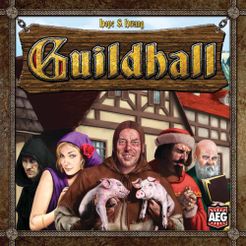
 After completing a a few first plays of this game i thought i wouldn’t like it. But Guildhall grew on me over time. At first it seems appears too chaotic and depending on luck. It also often has a very abrupt ending. I have changed my mind about the former. But the ending.. I’m still trying to learn how to be prepared for it and finish rapidly. This is a card game. There are 6 professions types cards and those are of 5 colors. And there are a number of same type and color cards in the deck. It’s hard to explain the mechanisms in a few words. But in general you are collecting those types of cards in piles in front of you. Every card of the same type you place into a pile (chapter) has to be of different color. When you place a card into a pile, you get its special ability/action, which strength is based on the number of same type cards in the pile. You can get additional action, swap cards with other players or straight kill cards in their piles. When you place the fifth card of the same type into a pile it becomes a completed chapter. Essentially 1 “coin” which you can by point cards with. Those point cards can also have special abilities (although such will cost more “coins”), but in essence their give various amounts of points toward the winning number of 20. You have a choice to either spend your collected chapters to buy cheaper points cards with less points or save up for those bigger cards. Although you risk that someone will rush to 20 with lesser points cards. Or someone can steel that precious huge points card from under your nose before you manage to collect enough chapters for it. And there come unexpected endings. Often it seems that the game is only halfway to end, but then someone buys 7 points card, gets a few more points with card play and here you go – 20 points and she wins. Various combinations of cards and ways of playing them together is the most attracting part of this game. Although i don’t like some of the abilities that much, but i get that all of them are useful in some situations. Of course, there is also luck of draw. But you can also discard and redraw as many cards as you want (as one of your two actions per turn). This game is perfectly suited for expansions, as it is easy to refresh it by mixing in a few new professions. The only flaw of this game, which unfortunately seems to be even worse in the latest Guildhall Fantasy releases – the artwork. New games have striking not matching colors and ugly gradient backgrounds. As you can see the box cover of the original game is a bit weird and often receives snarky comments. But this flaw can’t spoil the enjoyment of getting a chain of good moves and winning by a nose. 9/10
The game works great on Yucata. The only minor nitpicks are that it doesn’t fill the screen on my 7 inch tablet completely, so you have to scroll down a bit to press Finish or Next and it stutters while scrolling. But that’s not a problem at all. And of course, when it shows the abilities, it covers over cards in my hand and you often need to see what you have, but it would be hard to somehow fit it other way on a small screen.


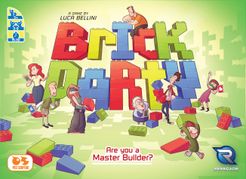 This game can easily be included among the party games (hence the part Party in the name). Because there is no lack of laughter or emotions during its play (sometimes very strong emotions though). This is my second game from Renegade Game Studios. I’ve seen its review long time ago, but when i saw it on my FLGS website with a discount and a very attractive price, i thought “Why not? It can be handy in my collection”. So far a few plays of it were truly fun. It can be hard though, especially for those having trouble imagining geometric shapes in their minds (like myself). But when using only the easiest level cards and with less strict rules, it can be also used with kids. It will help developing their dexterity skills and analytic vision, and maybe also cooperating skills 🙂 There can be permanent or temporary pairs of players during the game. Each pair must decide who will be the architect (telling what and how to build) and the builder (the one actually building the thing) during each round. The architect must also choose which card among ones he or she has will be built (there are 4 types of cards of varying levels of difficulty). And all this is spiced up with special rules cards, one of which is flipped before every round and dictates how things should work. Maybe the architect must remain silent and only use gestures to give the instructions. Or maybe the builder has to build it blindfolded. It will be hilarious either way 🙂 It can be very difficult to obey the rules sometimes and not put the right brick into builder’s hand or to be silent, when you shouldn’t speak. In time you start to see what works better in different situations, how you can better describe things when one or another rule is in play. When you become the builder, you start to realize how it was for another player, when you was the architect and vice versa. It’s a very simple game with a very few components and all the figures on the cards are fairly similar. So the freshness of it can evaporate quickly. Though, there are a few blank cards for those who want to create their own rules. The game can also be created with a few spare Lego bricks and paper sheets for figures and rules. But it’s a fairly cheap game, so it’s probably not worth it to invest time to build your won copy. Simple, but fun. Strong 7/10.
 At some point in 2015 computers running Windows 7 or Windows Vista started having an issue with a very long updates check. It is probably affecting Windows 8/8.1 as well. Freshly installed Windows 7 machine can spend many hours or even days to complete a check, when it was just a few minutes normally. Machines with less resources wouldn’t be able to complete a check even when doing this non-stop for days. CPU usage would stay abnormally high during the check.
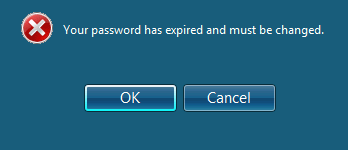 Issues with an expired Windows (AD) password was always a bane of system administrators/helpdesk operators. But Microsoft managed to get things worse by removing the nagging dialog asking you to change your password (present in Windows XP) and changing it to a subtle tooltip popup (since Windows Vista). So subtle, that even i miss it often.. As we are slowly transitioning to more mobile workflow (working from home, from mobile, in your browser) this will generate even more issues and users’ frustration with technology. So we looked into options to more actively remind our users about the eminent expiration of their passwords. I’m still puzzled why nobody at Microsoft thought about adding this option (to send a reminder via email/sms) to Exchange or Office 365. There are a number of paid tools on the web. Most of them do a lots of other stuff and password management and reminders is usually a single module. Same is true for ManageEngine’s ADSelfService Plus suite and it’s standalone freeware