
The title of this post is tongue in cheek. Last week Microsoft has posted an article about Update Connectivity value and what role it plays in PC’s ability to install updates in a timely manner. Post made some waves on various IT news sites and also garnered critical response from systems administrators.
I cannot check if this parameter correlates with problems with updates (we use 3d party tools for updates). But, if you use Intune, maybe you can test this theory and find some useful insights. Although Microsoft provided rather vague explanation on how much time is actually required for PC to successfully update:
Specifically, data shows that devices need a minimum of two continuous connected hours, and six total connected hours after an update is released to reliably update.
Does this mean that only 2 continuous hours needed to initiate update, but the rest 4 can be divided in chunks, but still 6 in total needed to complete? So, if PC is online just 2 hours every day it will take 3 days to update? They need to clarify this part. By the way, this means being connected to Windows Update service, not just being online. But can update itself be interrupted? If not, then why they not say 6 continuous hours. Download already can be resumed next day and shouldn’t be that long anyway. Lots of confusion and questions here as it seems that you kind of need to keep it online for 6-8 hours to make it to update for sure. Which is not optimal. And this probably came from all the smart things introduced in Windows 10 gradually (active hours, Windows trying to find time to update when you are not actively using it). Updates got so big and they need so much time to install that it became a problem for users (being interrupted with updates). But Microsoft’s solution for this was not installing updates at all. Which is bad for security and a headache for administrators. And response from Microsoft is – Windows 11 has smaller and faster updates. Right. Though Windows 10 is not going away yet. And it was “last Windows” version and was intended to be polished and improved all the time. Why not improve update process in it instead of as usual touting better things for new and shiny versions? Who knows, maybe updates will not require a restart. In Windows 65 🙂




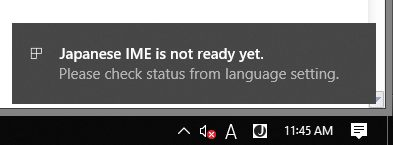 From my understanding the “Japanese IME is not ready yet.” (or Chinese) error started appearing sometime around 1903 was released. There are tons of articles and questions on internet regarding this issue with not many working solutions. Especially for restricted corporate environment. We have started seeing reports about this error while pushing 20H2 version. But it seems such problems were also observed after 1903 update (or maybe even earlier) and some IT staff was “fixing” it by copying IME files from older version into new essentially replacing it. This doesn’t work with latest Windows 10 versions. Not to say this is not a pretty solution anyway. I had to involve Microsoft support recently to tackle this and below are my findings and kind of a solution for this.

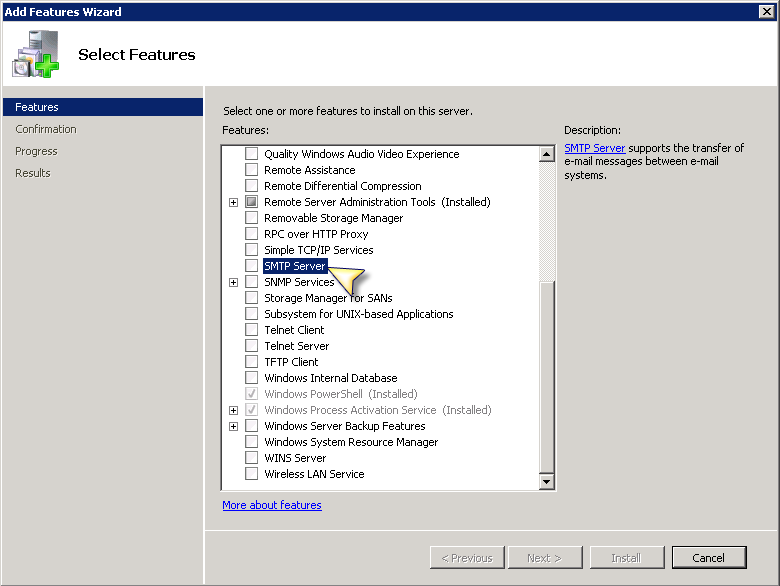 With Microsoft hammering down on Basic Auth support in Exchange Online many systems admins are wondering what to do about email function in multi function printers and scanners and other internal systems that have to send emails (SharePoint and similar). Although it seems that SMTP Auth might stay available a bit longer even after the final date in October of 2022. Still, there could be better options to avoid problems when Basic Auth is gone and MFPs cannot send emails directly to Exchange Online using just email and password. I am not 100% sure below provided setup will work all the time, but it was recommended by our MS partners and listed on Microsoft support page.