
Microsoft tęsia žaibiškai išleidžiamų build’ų su pataisymais procesą. Taigi, buvo išleisti 15058, 15060, 15061 build’ai skirti PC ir 15063 PC ir Mobile. Beje, įdiegus 15063 startavo Edge naršyklė su “Welcome to the best Windows ever” pranešimu, kuriame siūlo išbandyt Edge bei Office su OneDrive. Panašu, kad po Creators Update diegimo visi vartotojai pamatys jį. Taip pat internete pasirodė informacija, kad 15063 turėtų būti RTM build’u (oficialus Creators Update build’as). Kas dar buvo pataisyta:
- Ištaisyta klaida, kai po šifruoto PDF dokumento pervadinimo nusimušdavo nustatymas programos, kuri atidaro PDF (jei tam nebuvo nustatyta Edge naršyklė);
- Pataisytas taskhost.exe nulūžimas greitai įvedant tekstą į prisijungimo langus UWP aplikacijose (naudojant Tab persijungimui tarp laukelių);
- Turi būti įmanoma greitai paleist Edge iš naujo po to kai naršyklė nulūžo ir nereikia laukti kelias minutes kol bus uždaryti foniniai procesai (kodėl gi nepadaryt, kad naršyklė nelūžinėtų 🙂 );
- O štai ir sekančioj eilutėj rašoma, kad pataisytas Edge nulūžimas prasidėjęs su 15061 build’u;
- Neturėtų likti vaizdo iškraipymų žiūrint tam tikrus mp4 video įrašus su Movies and TV aplikacija;
- Network Connections lange vėl atsirado prieš tai dingę kai kurie VPN prisijungimai;
- Mobile: foniniai procesai (OneDrive, camera roll sync, t.t.) dabar turėtų veikti tvarkingai;
- Mobile: pataisyta problema su galimybe prarasti visą skambučių, žinučių ir pašto istoriją po netikėto telefono persikrovimo;
- Jau turėtų veikti atsinaujinimo iš Anniversary Update (14393) į 15063 buildą procesas.

/cdn0.vox-cdn.com/uploads/chorus_asset/file/8197101/android_o_logo.png) Google padarė prieinamą programų kūrėjams naujos Android laidos
Google padarė prieinamą programų kūrėjams naujos Android laidos  At some point in 2015 computers running Windows 7 or Windows Vista started having an issue with a very long updates check. It is probably affecting Windows 8/8.1 as well. Freshly installed Windows 7 machine can spend many hours or even days to complete a check, when it was just a few minutes normally. Machines with less resources wouldn’t be able to complete a check even when doing this non-stop for days. CPU usage would stay abnormally high during the check.
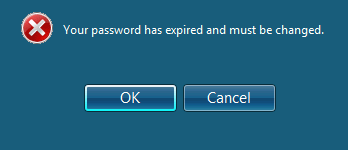 Issues with an expired Windows (AD) password was always a bane of system administrators/helpdesk operators. But Microsoft managed to get things worse by removing the nagging dialog asking you to change your password (present in Windows XP) and changing it to a subtle tooltip popup (since Windows Vista). So subtle, that even i miss it often.. As we are slowly transitioning to more mobile workflow (working from home, from mobile, in your browser) this will generate even more issues and users’ frustration with technology. So we looked into options to more actively remind our users about the eminent expiration of their passwords. I’m still puzzled why nobody at Microsoft thought about adding this option (to send a reminder via email/sms) to Exchange or Office 365. There are a number of paid tools on the web. Most of them do a lots of other stuff and password management and reminders is usually a single module. Same is true for ManageEngine’s ADSelfService Plus suite and it’s standalone freeware
  After completing a a few first plays of this game i thought i wouldn’t like it. But